
Compare properties
Select one or more materials, laminas, laminates, simulations or optimization snapshots and review scrollable tables, bar charts, Ashby plots, line plots, property maps, and laminate stiffness matrices.
Capabilities / 02.7
CDS solves the handoff from analysis to decision by linking comparisons, fields, tables, parametric studies, and open exports across the complete composite model chain.

A linked carpet plot and laminate stack make the selected design visible alongside its properties.
Workbench capture · September 6, 2026. Representative interface and demo data, not a new solver run or validation certificate. Control locations may differ in later releases.All blocks keep the CREATE / DISCOVER / SIMULATE positions, with Equipment below Geometry; unused records remain disconnected. This changes the view only, not the exercise records.
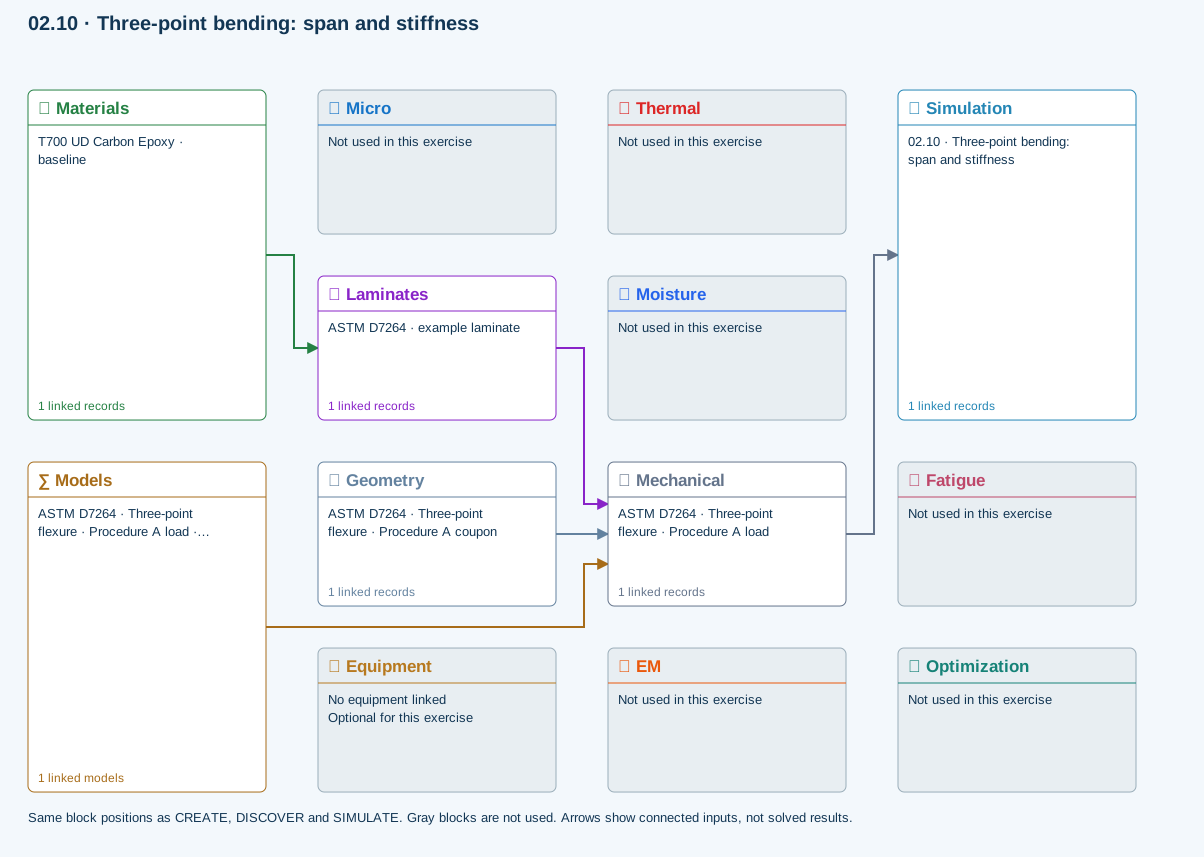
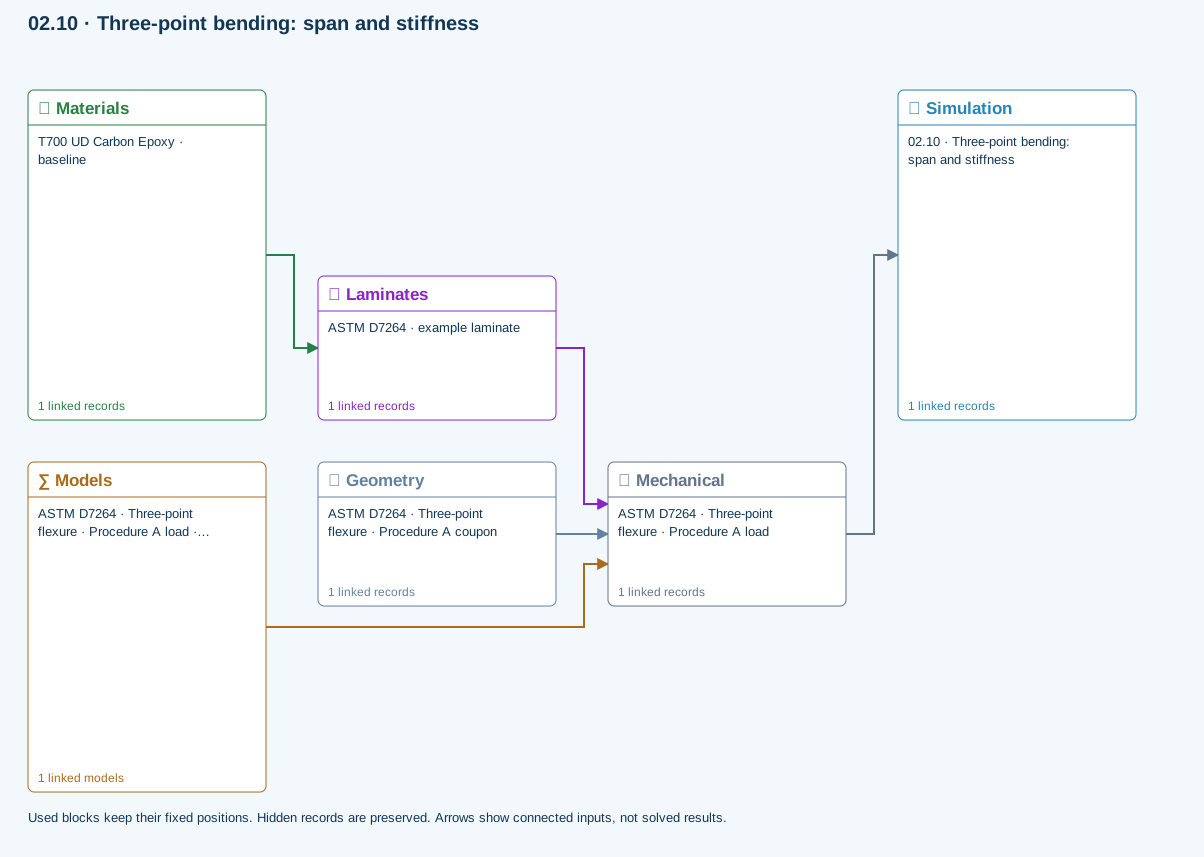
Only models assigned to records used by this exercise are listed here. The full-layout option preserves the supplied starter records; no Workbench records are changed.
Beam bending uses effective laminate axial stiffness, the linked section geometry, support span and applied loading. Euler–Bernoulli deflection excludes transverse shear deformation, roller contact and indentation. Ply stress recovery for rectangular laminate coupons is separate from section-level beam stress recovery.
∑ Theory & assumptionsMaterials → Laminates
Stored ply stiffness, strength, density and expansion properties.
Mechanical → Simulation
SIMULATION selects this case and its analysis model; the case owns its applicable cycle and input references.
Laminates → Mechanical
Ply angles and thicknesses, stiffness, mass and ply properties.
Geometry → Mechanical
Part shape and dimensions, thickness or section definition, and model-specific geometric inputs. Each selected case consumes only the dimensions its model supports.
Models → Mechanical
Applied model assignment: Euler–Bernoulli beam · Linear static. Model parameters and formulation are used by Mechanical.
Inspect specimen width, laminate thickness, support span and central force.
Models: Euler–Bernoulli beam · ASTM D7264-26-based
Procedure A teaching setup. Transverse shear deformation, roller contact and indentation are excluded.
02.7 / How CDS solves it
From engineering question to validation dataSelect one or more materials, laminas, laminates, simulations or optimization snapshots and review scrollable tables, bar charts, Ashby plots, line plots, property maps, and laminate stiffness matrices.
Move result cursors through time and thickness to update linked thermal plots, or select stress, strain, displacement, resultant, and factor-of-safety views for a structural case.
Right-click supported tables to save CSV or XLSX data and presentation-oriented PPTX output where available, or write supported material cards for downstream finite-element analysis.
Explore the models, connections and theory →
Outcomes and boundaries
