
The reinforcement architecture determines how constituent properties are translated into a useful ply description. In this exercise you will inspect the selected architecture, compare the supplied examples and then make a controlled change to discover which aspects of the effective response are sensitive to that description.
Open this exercise in Workbench
Prepare the baseline
Read the constituent and architecture inputs before comparing the property cards. Use the paired example where the task specifies one, and note every difference between the two starting records. Then vary only the requested fraction or architecture parameter, rerun, and compare directional moduli and shear properties at the same units and reference state.
Worked procedure
1. Open the Micro example and review constituents, volume fractions and architecture.
2. Run and compare E1, E2, E3 and shear moduli with the paired example in this class.
3. Vary reinforcement fraction or architecture parameter; rerun and explain the stiffness changes.
4. Right-click Micro → Save as composite material. Inspect the independent elastic snapshot and its blank unpredicted properties.
Review checkpoints
Existing exercise records are unchanged; these are additional studies.
Predicted stiffness is not measured strength. Existing example strengths are illustrative teaching inputs only.
Model limits
Teaching-only constituent/architecture assumptions. Elastic screening; no qualification, processing prediction or measured composite strength.
Interpret the comparison
Describe the change as a property prediction for the selected architecture, not as an observed manufacturing result. When saving a composite material, inspect the resulting independent snapshot and its unpredicted fields. Retain the recipe and input values as well, so that the origin of the snapshot remains understandable.
How information passes between models
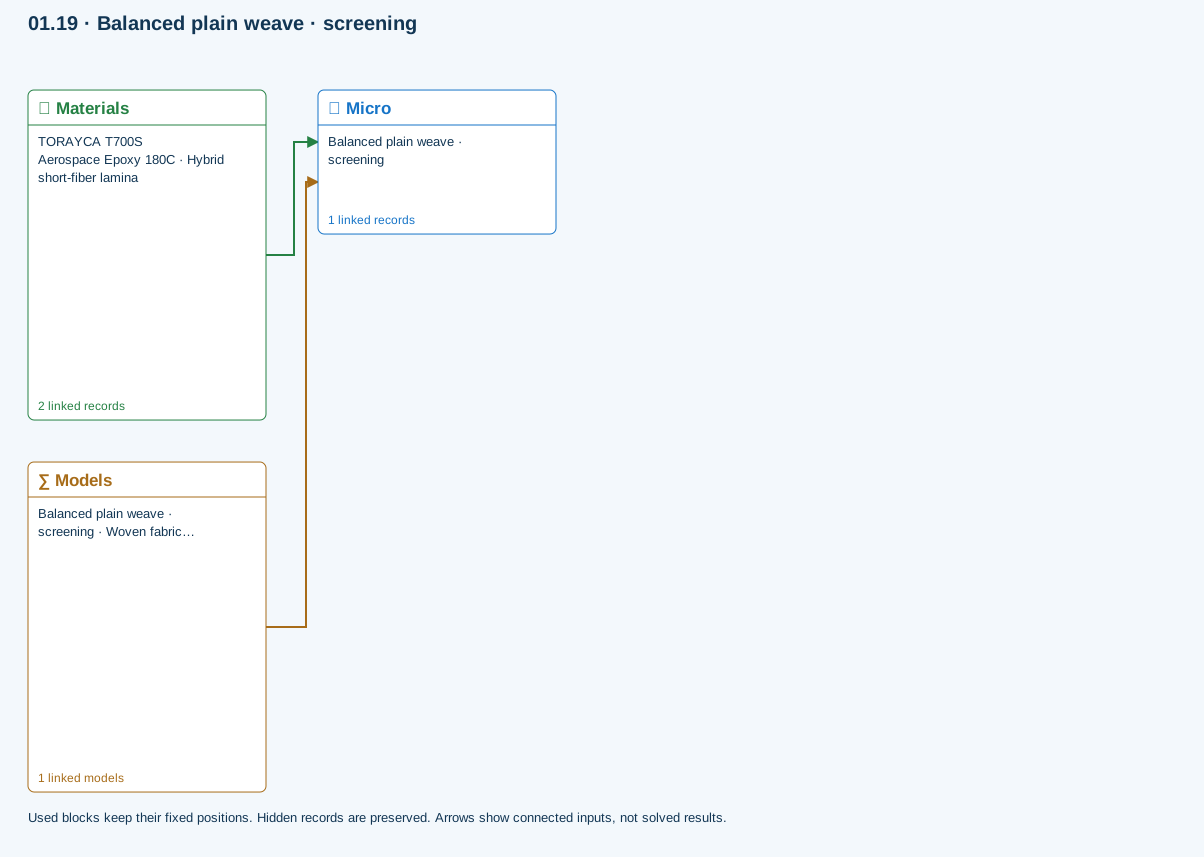
Materials → Micro: Constituent stiffness, strength, density and thermal / moisture properties.
Models → Micro: Applied model assignment: Woven fabric bridging. Model parameters and formulation are used by Micro.
Further reading and evidence
- Create and connect a lamina
- Edit material properties and units
- Run and review a model
- Review effective properties
- Connected inputs and result freshness
- Related case study: NASA lamina analysis
Review the recorded validation scope. Retain the original inputs and solver notices with the results. Representative teaching data are not design allowables.
References and source sections
References are retained with the formulations they support. Software instructions describe implementation scope; a cited source does not establish independent validation of a CDS calculation.