
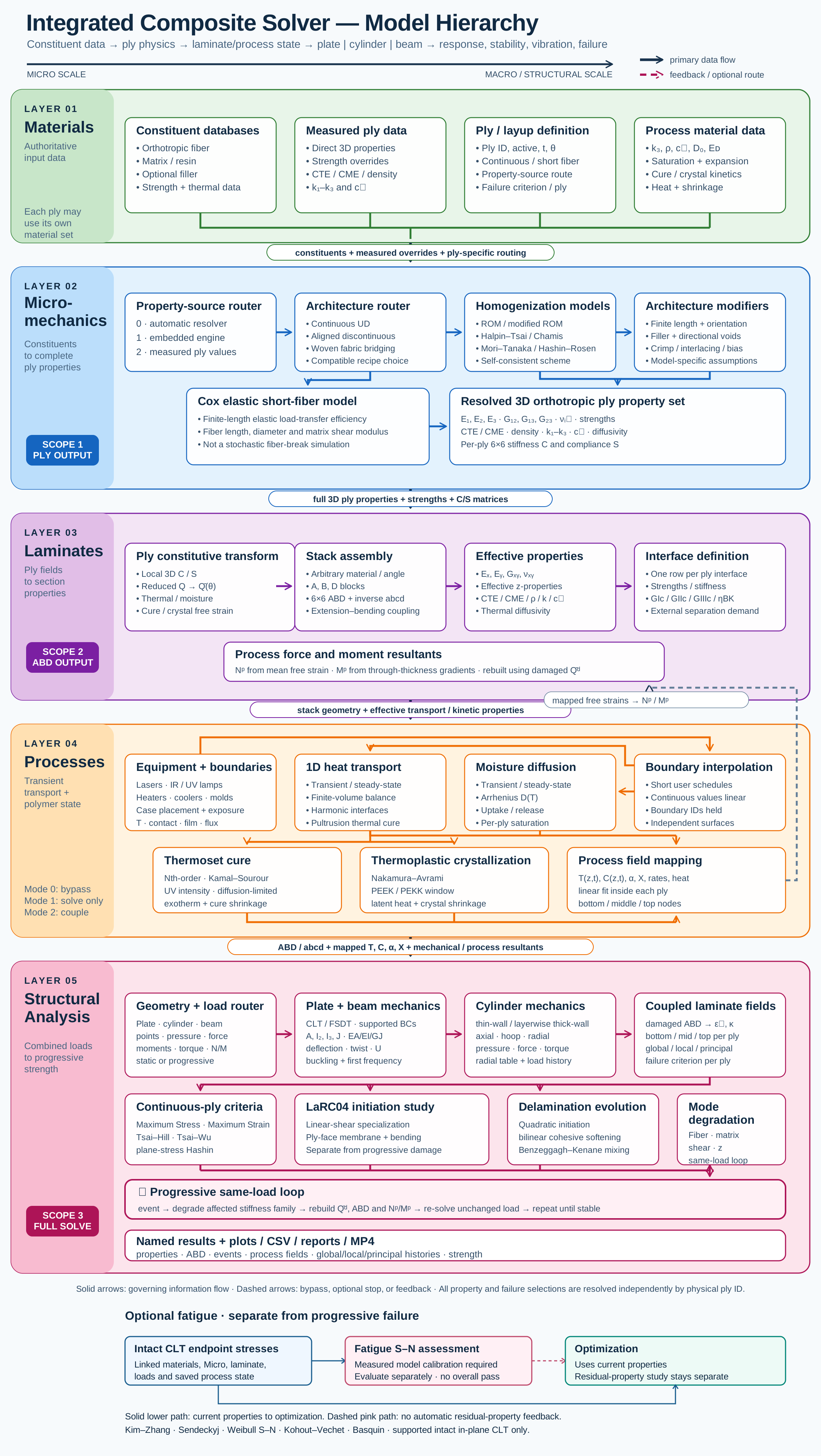
Use micromechanics when architecture and constituent properties form part of the question. The selected model converts that description to an effective material within stated assumptions about geometry, orientation and interaction. Examine the constituent limits before accepting a plausible-looking modulus, and retain measured strength data separately where the model does not establish allowables.
3.1 Translate constituents into effective material behavior.
Workflow / 03.2 Micromechanics
Choose a released architecture-compatible homogenization model, inspect its reference ply properties, and carry those properties into the laminate.
Connected model layer
Micromechanics model map
Select a block to explore its theory or workflow. View the complete Model Map
One cell. A whole fabric.
Explore plain, twill and satin yarn surfaces in Micro, Live Stack, CREATE and DISCOVER. Switch between one repeat and 2 × 2 or 3 × 3 cells, then rotate and zoom. CREATE carries the selected weave and woven bridging model into SIMULATE, subject to your license.
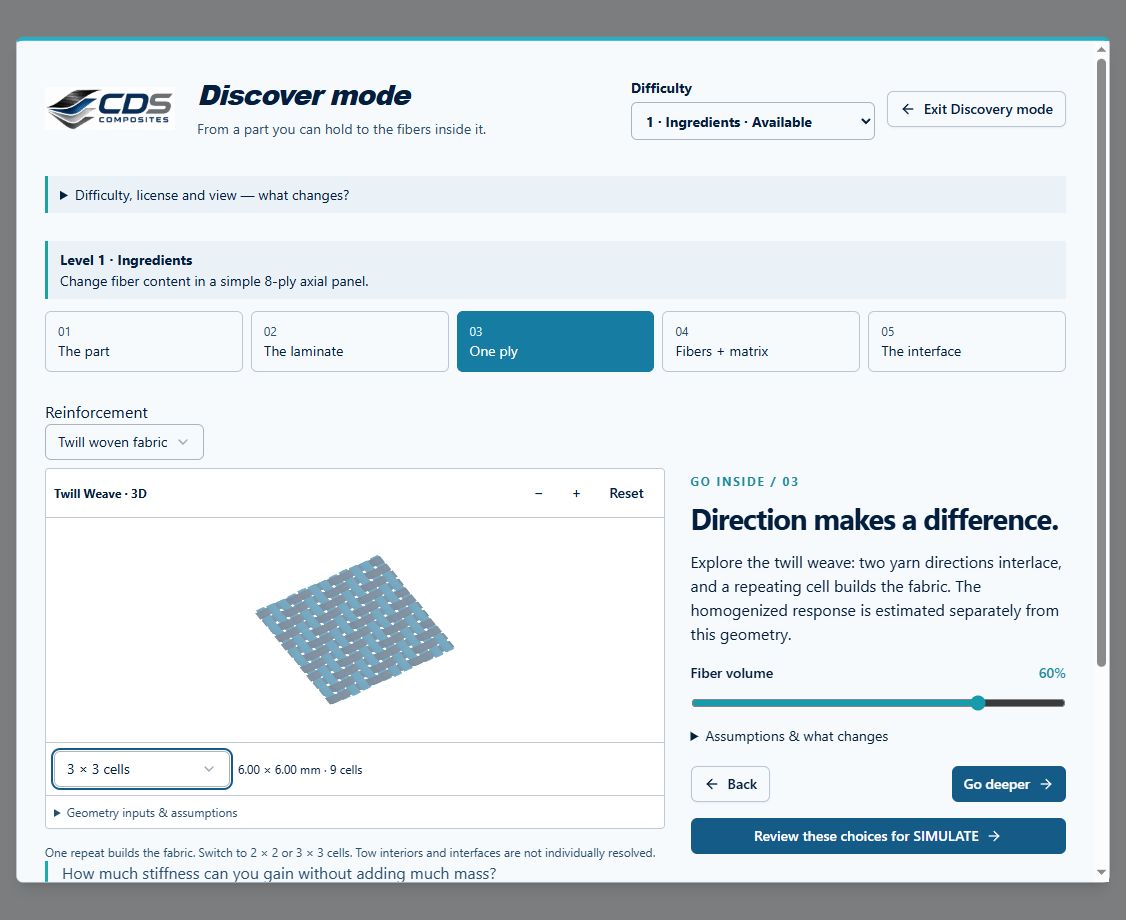
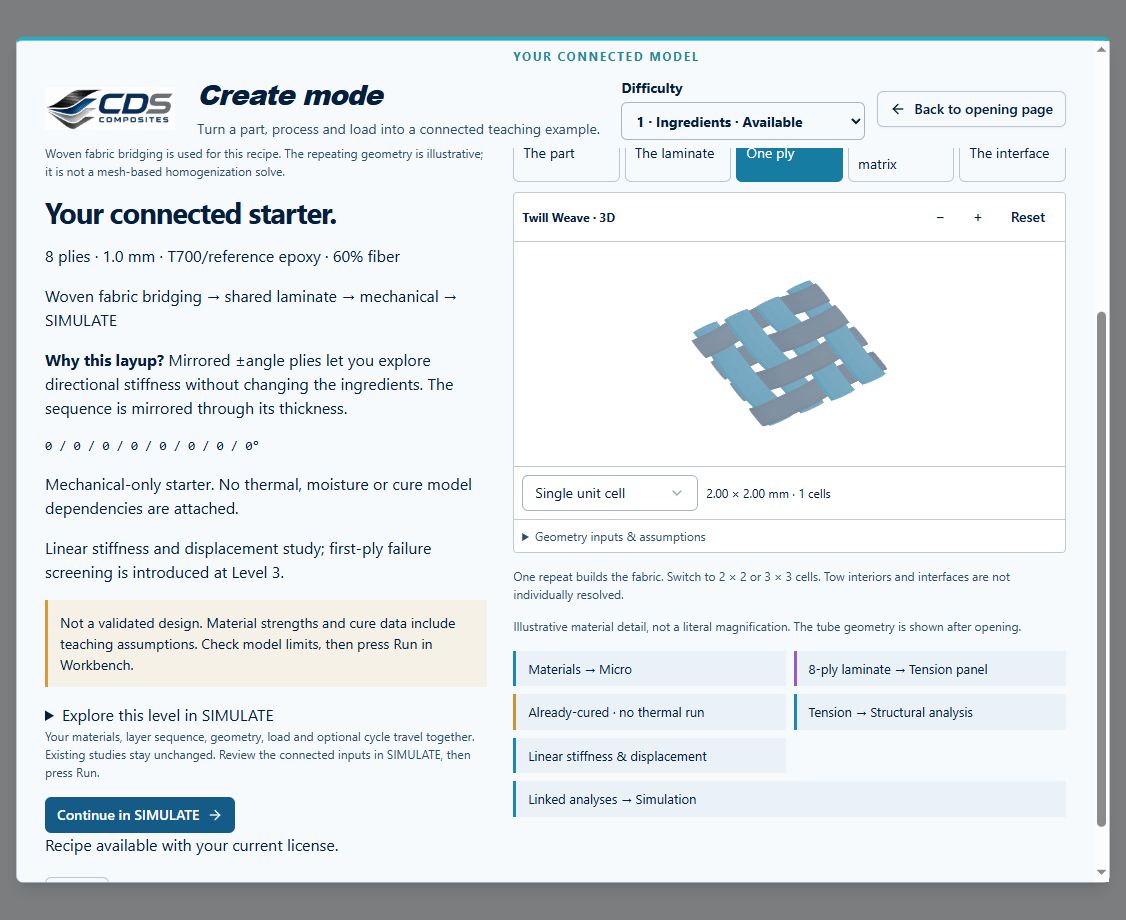
Captured from the Workbench components in a local preview, September 17, 2026. Missing yarn dimensions are inferred and listed under Geometry inputs & assumptions. These are periodic surface illustrations—not measured textile CAD, solid exports or a mesh-based solver. Effective properties are calculated separately by the selected micromechanics model.
01.01 · Rule of mixtures: fibre volume fraction
Level 1FoundationEst. 15 min
Only blocks on the exercise path are shown. This changes the view only, not the exercise records.
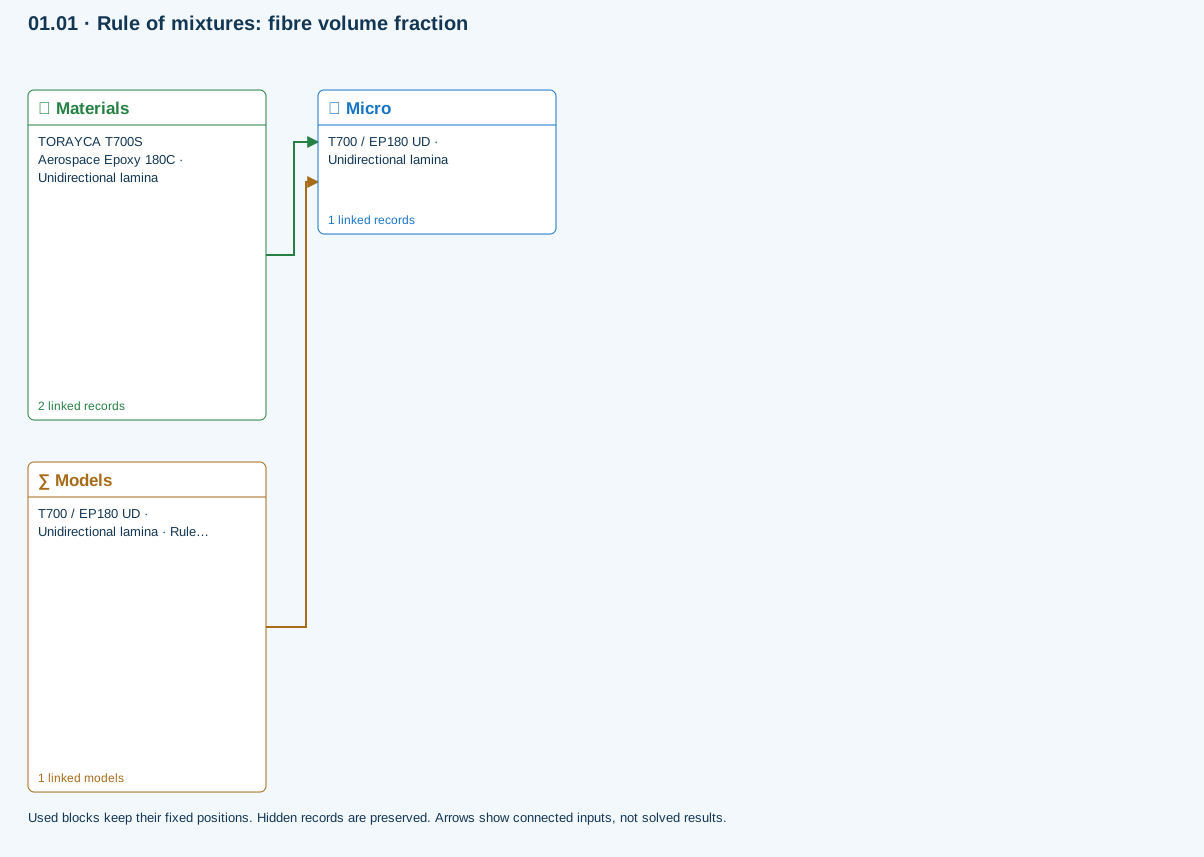
∑ Used models & submodels
Only models assigned to records used by this exercise are listed here. The full-layout option preserves the supplied starter records; no Workbench records are changed.
Rule of mixtures · T700 / EP180 UD · Unidirectional lamina
One compatible homogenization model per Micro recipe. Separate recipes compare models; their predictions are not blended.
∑ Theory & assumptionsData travelling between blocks
Materials → Micro
Constituent stiffness, strength, density and thermal / moisture properties.
Models → Micro
Applied model assignment: Rule of mixtures. Model parameters and formulation are used by Micro.
Open the copied Micro record and identify its fibre and matrix materials.
Models: Rule of mixtures · Voigt · Reuss
Study scope and limitations
Ideal continuous, aligned reinforcement with zero voids. This is a teaching comparison, not a measured material allowable.
03.2 / Workflow focus
Connected engineering recordCompatible formulations
The Models browser lists rule-of-mixtures variants, Halpin–Tsai, Chamis, Mori–Tanaka, Hashin–Rosen, self-consistent, woven bridging and Cox elastic short-fiber choices. Architecture determines which choices are available.
Short-fiber scope
Cox shear-lag elastic studies use prescribed geometry and orientation. The event-driven Henry–Pimenta RVE and its stochastic discontinuous-fiber failure route are not enabled in the hosted release.
Ply-property handoff
The selected Micro recipe supplies reference properties to its linked plies. Shared material or Micro edits can change multiple laminate calculations.
Explore and compare
Use an exercise or supported property sweep to compare model assumptions, constituent limits and sensitivity. Predicted strengths and teaching defaults are not qualified allowables.
Use this workflow in Workbench: interactive Blocks, record selections and connection controls →
Connected model layer
Micromechanics · released model connections
Select a model family to follow its inputs, results, theory and exercise. All model families ↗
Follow the connections
Materials & micromechanics
Constituents & architecture
Constituents, architecture, fractions and calibrated modifiers
Homogenization
Ply properties
Reference ply properties for each linked laminate ply
Representative exercise: this map shows its supplied records and active connections, not every possible configuration of the model family.
Only blocks on the exercise path are shown. This changes the view only, not the exercise records.
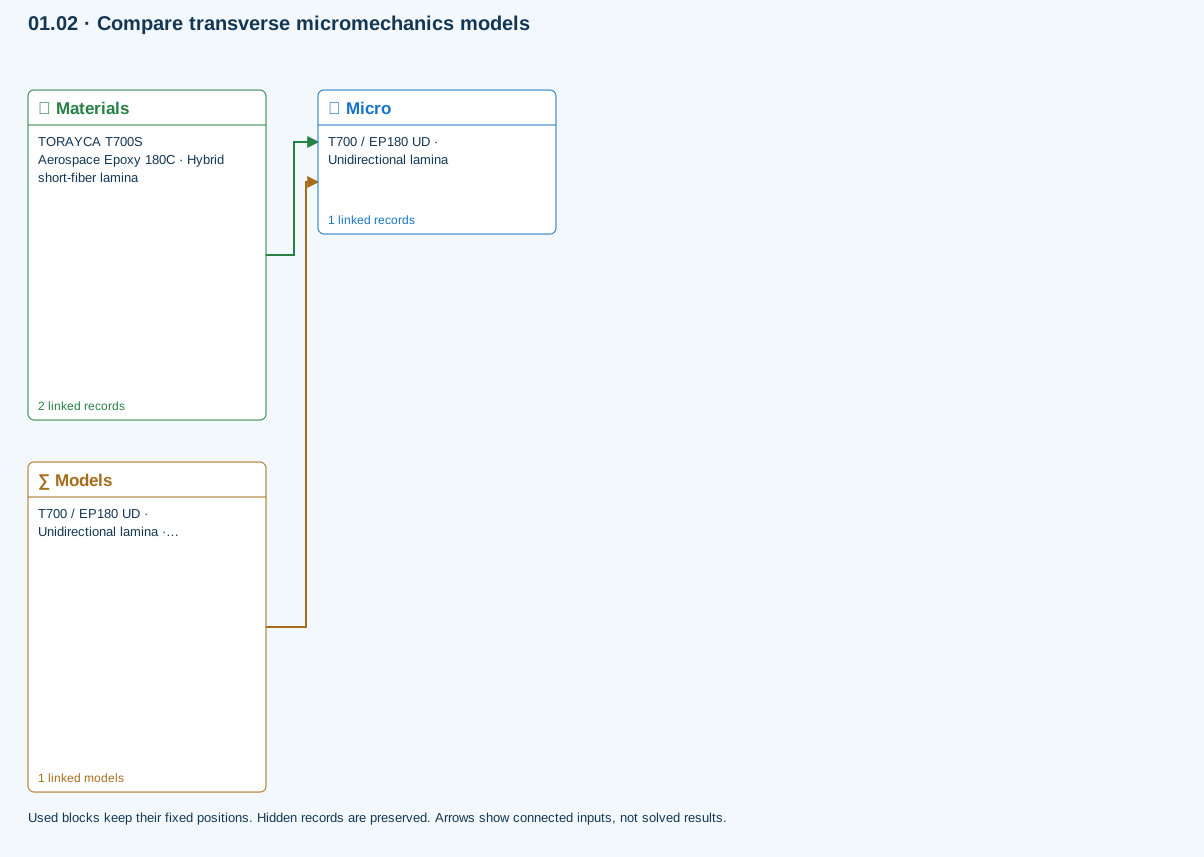
Micromechanics
One compatible homogenization model per Micro recipe. Use separate recipes for comparisons; they are not combined in a single ply.
Model choices and Workbench location
Models browser → Micromechanics · source: Micro
- Halpin–Tsai
- Rule of mixtures
- Modified rule of mixtures
- Chamis
- Mori–Tanaka
- Hashin–Rosen
- Self-consistent scheme
- Woven fabric bridging
- Cox shear-lag elastic
Chapter review
Confirm both the predicted property and the recipe that produced it before assigning the ply to a laminate.
References and source sections
References are retained with the formulations they support. Software instructions describe implementation scope; a cited source does not establish independent validation of a CDS calculation.